
Backup Architecture Basics: Building a Last Line of Defense That Actually Works
Listen to the introduction of this article.
Most businesses think they have a backup strategy.
What they actually have is a collection of scheduled jobs, some cloud storage subscriptions, and a hope that everything will work when disaster hits.
Hope is not a strategy.
At BAIFRONT, we approach backup architecture the same way we approach any mission-critical operation: with clear objectives, redundant systems, rigorous testing, and zero room for failure. Your data isn't just files on a server. It's your customer records, your financial history, your operational continuity, and your ability to stay in business when something goes wrong.
This article covers the fundamentals of modern backup architecture: designed for businesses that can't afford downtime and owners who need to know their data is actually recoverable.
Why the Old 3-2-1 Rule Isn't Enough Anymore
For years, the industry standard was the 3-2-1 rule: three copies of your data, on two different media types, with one copy stored offsite.
That was adequate when the biggest threats were hardware failures and natural disasters.
Then ransomware changed everything.
Modern ransomware doesn't just encrypt your production systems. It hunts for your backups. It sits dormant in your environment for weeks, mapping your network, escalating privileges, and locating every backup repository it can reach. Then it encrypts everything simultaneously: production systems and backups alike.
The 3-2-1 rule assumes your backups are safe from attackers.
They're not.

The 3-2-1-1-0 Rule: Your New Baseline
Modern backup architecture requires the 3-2-1-1-0 rule:
- 3 copies of your data (production + 2 backups)
- 2 different media types (disk, cloud, tape)
- 1 copy offsite (geographically separate from primary site)
- 1 copy immutable or offline (cannot be altered or deleted)
- 0 errors in backup verification and restore testing
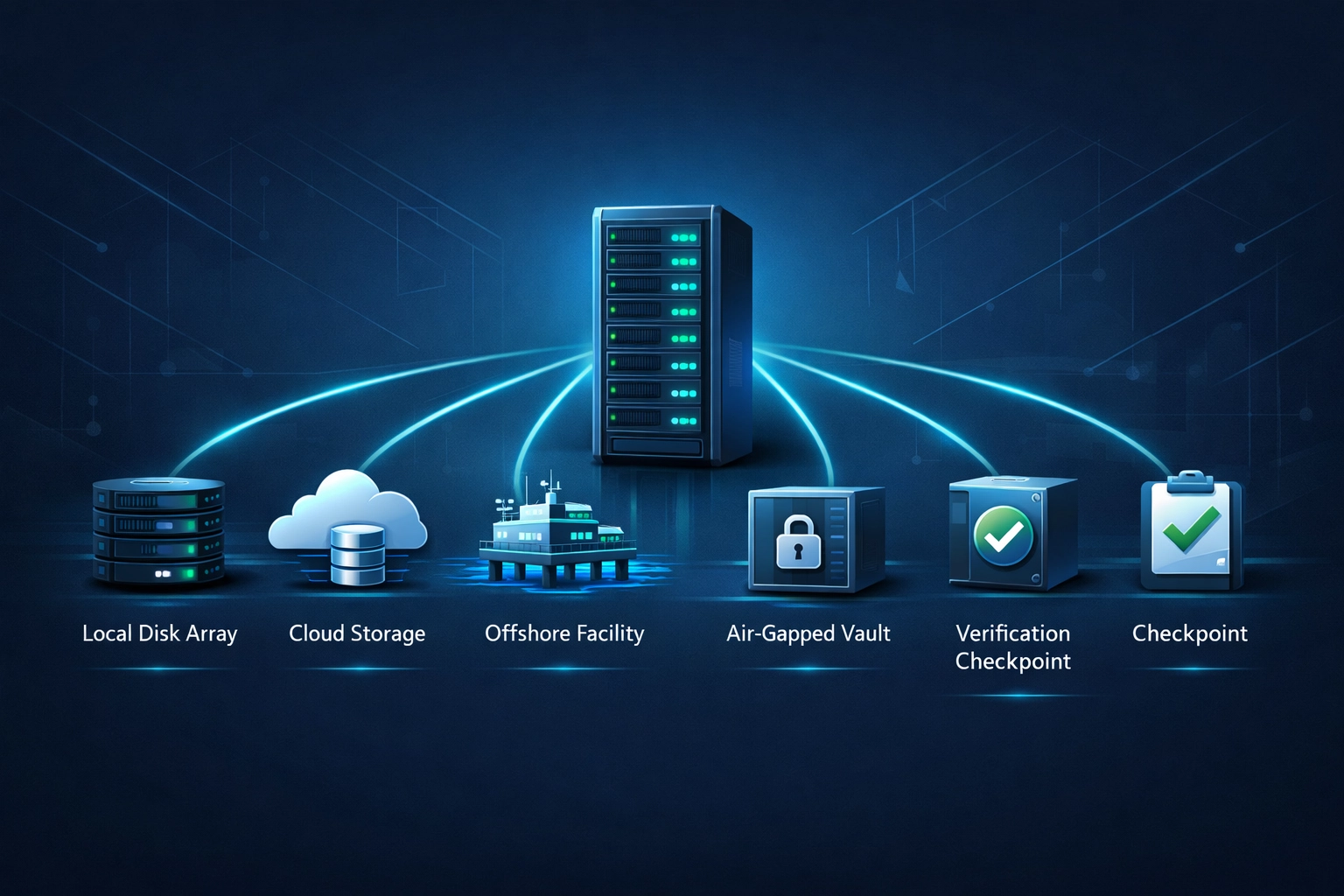
That fourth "1" is critical. Immutable or offline backups create an air gap that ransomware cannot cross. Even if an attacker compromises your entire network, including backup administrator accounts, they cannot delete or encrypt properly configured immutable backups.
The "0" is equally important. A backup with unverified integrity is a backup you cannot trust. Zero errors means every backup job completes successfully, every backup passes integrity checks, and restore tests confirm the data is actually recoverable.
RTO vs. RPO: The Two Numbers That Define Your Strategy
Before you design any backup system, you need to answer two questions:
How much data can you afford to lose? That's your Recovery Point Objective (RPO).
How fast do you need to be back up? That's your Recovery Time Objective (RTO).
These aren't IT metrics. They're business decisions.
If your e-commerce platform goes down, how many hours of lost orders can your business absorb before the financial impact becomes unacceptable? That's your RTO. If your customer database gets corrupted, how many hours of new customer records can you lose without materially impacting operations? That's your RPO.
Different systems warrant different objectives:
- Production databases: 15-minute RPO, 1-hour RTO
- File servers: 1-hour RPO, 4-hour RTO
- Development systems: 24-hour RPO, 8-hour RTO
- Archived data: 1-week RPO, 24-hour RTO
Your backup frequency, retention policies, and infrastructure investments should be driven entirely by these numbers. A system with a 15-minute RPO requires continuous or hourly backups. A system with a 24-hour RPO can use daily snapshots.
Map your RTOs and RPOs first. Then build the architecture that can actually meet them.
Immutability: The One-Way Vault for Your Data
Immutability means that once a backup is written, it cannot be modified or deleted: not by administrators, not by malware, not by anyone: until a predefined retention period expires.
Think of it as a one-way vault. Data goes in, locks automatically, and cannot be opened until the timer runs out.
Modern object storage systems (like AWS S3 with Object Lock) and purpose-built backup appliances provide immutability through WORM (Write Once, Read Many) technology. Once enabled and configured properly, these systems prevent any deletion or modification requests, even from highly privileged accounts.
This is your last line of defense against ransomware.
If attackers encrypt your production environment and your standard backup repositories, your immutable copies remain untouched. You can restore from a known-good point before the compromise occurred, without paying ransom or losing data.
Immutability isn't optional anymore. It's foundational.
Tiered Backup Architecture: Match Protection to Value
Not all data is created equal.
Your customer transaction database and your test environment logs do not warrant the same level of protection, the same backup frequency, or the same storage costs.
A tiered backup strategy aligns your protection levels with business criticality:
| Tier | Systems | RPO | Backup Frequency | Retention | Storage Type |
|---|---|---|---|---|---|
| Tier 0 | Core production databases, financial systems | 15 min | Hourly or continuous | 90 days | Disk + Immutable Cloud |
| Tier 1 | Application servers, file shares, CRM | 1 hour | 4x daily | 30 days | Disk + Cloud |
| Tier 2 | Email, collaboration tools | 4 hours | 4x daily | 14 days | Cloud |
| Tier 3 | Development, staging, logs | 24 hours | Daily | 7 days | Disk |
This approach prevents you from spending premium storage dollars on low-value data while ensuring that mission-critical systems get the protection they actually need.
Classify your systems by tier. Then apply backup policies that match.

The Mission-First Mindset: We Don't Just Back It Up, We Ensure It Can Be Recovered
At BAIFRONT, we're a veteran-owned company. That shapes how we approach every engagement.
In military operations, you don't just plan for success. You plan for everything that can go wrong, you build redundancy into every critical system, and you test those systems under realistic conditions.
We treat your data the same way.
We don't just "back it up." We architect systems that ensure your data can be recovered: under stress, under time pressure, and under the realistic conditions of a real incident.
That means:
- Testing restores monthly, not annually or "when we get around to it."
- Documenting procedures that your team can follow under pressure, not buried in some PDF no one can find when the network is down.
- Validating that backup windows don't overlap, storage capacity is sufficient, and retention policies align with your actual business requirements.
- Segmenting backup infrastructure from production networks so compromising one doesn't automatically compromise the other.
An untested backup is not a backup. It's a hope.
We deal in certainty, not hope.
Automate Everything, Monitor Everything, Test Everything
Manual backup processes fail. They fail because someone forgets, because someone's on vacation, because it's Friday at 4:45 p.m. and no one wants to wait around.
Automation removes that risk.
Every backup job should be scheduled, executed automatically, and monitored for completion and integrity. If a job fails, alerts should fire immediately: not three days later when someone notices.
Use heartbeat monitoring. If a backup job doesn't report successful completion within its expected window, something is wrong. Investigate immediately.
But automation is not enough.
You need to validate that your backups are actually restorable. Schedule monthly restore tests for critical systems. Restore to isolated environments, verify data integrity, confirm that applications function correctly, and document the time it took.
Those test results tell you whether your architecture actually meets your RTOs and RPOs: or whether you're operating on assumptions.
Your Next Step: Free Comprehensive Assessment
If you're not confident that your current backup architecture can survive a serious ransomware attack or major infrastructure failure, you have a gap.
BAIFRONT offers a free Tier 1 Comprehensive Assessment for businesses that want a clear, no-sales-pressure review of their current backup posture.
We'll analyze your:
- Current backup coverage and gaps
- RTO/RPO alignment with business requirements
- Immutability and air-gap implementation
- Restore test history and results
- Segmentation and access controls for backup infrastructure
You'll receive a written report with specific findings and prioritized recommendations. No obligation, no pressure, no upselling.
Let's make sure your last line of defense actually works.