
7 Mistakes You're Making with Backup Testing (and Why They'll Cost You During Recovery)
Listen to the introduction of this article.
Your backups are only as good as your last test.
Most businesses treat backup testing like flossing: they know they should do it, but somehow it never happens. Then disaster strikes. Systems go down. Data vanishes. And suddenly, those backups you've been faithfully creating for years turn out to be worthless.
Here's the uncomfortable truth: 60% of backups are incomplete, and 50% of restores fail when you actually need them. That's not a typo. Half of all restoration attempts don't work.
Let's walk through the seven most common backup testing mistakes that could cost you everything during recovery.
1. You Test Once a Year (or Never)
Setting up backups and walking away is like buying insurance and never checking if the policy is still active.
Hardware changes. Software updates. System configurations drift. And that backup you set up two years ago? It might be quietly failing every single night without anyone noticing.
Only 50% of businesses test their disaster recovery plans yearly. The other half operates completely blind.
Your backup system needs quarterly testing at minimum. More frequently if you're making infrastructure changes. Because the worst time to discover your backups don't work is when you desperately need them.

2. You Validate Backups But Skip Testing Restores
There's a massive difference between confirming a backup job completed and actually restoring that data.
Your backup software might report 100% success rates while creating files that are completely unusable. Corrupted. Incomplete. Missing critical components that only become obvious when you try to bring systems back online.
Testing the backup process tells you data was copied. Testing the restore process tells you whether that data is actually recoverable.
One protects you on paper. The other protects your business in reality.
3. You Don't Verify Your Recovery Objectives
Your business has specific requirements for how quickly systems must come back online and how much data loss is acceptable.
Recovery Time Objective (RTO): How long can you afford to be down?
Recovery Point Objective (RPO): How much data can you afford to lose?
If your backups take 48 hours to restore but your business needs systems back in 4 hours, your backup strategy is fundamentally broken. You just don't know it yet.
Network downtime costs an average of $5,600 per minute. For 90% of companies, hourly downtime exceeds $300,000. For enterprises, that number climbs to $1-5 million per hour.
Your backup testing should validate that recovery times actually match your business requirements. Not what would be nice. What your business actually needs to survive.

4. You Rely on Backup Reports Instead of Verification
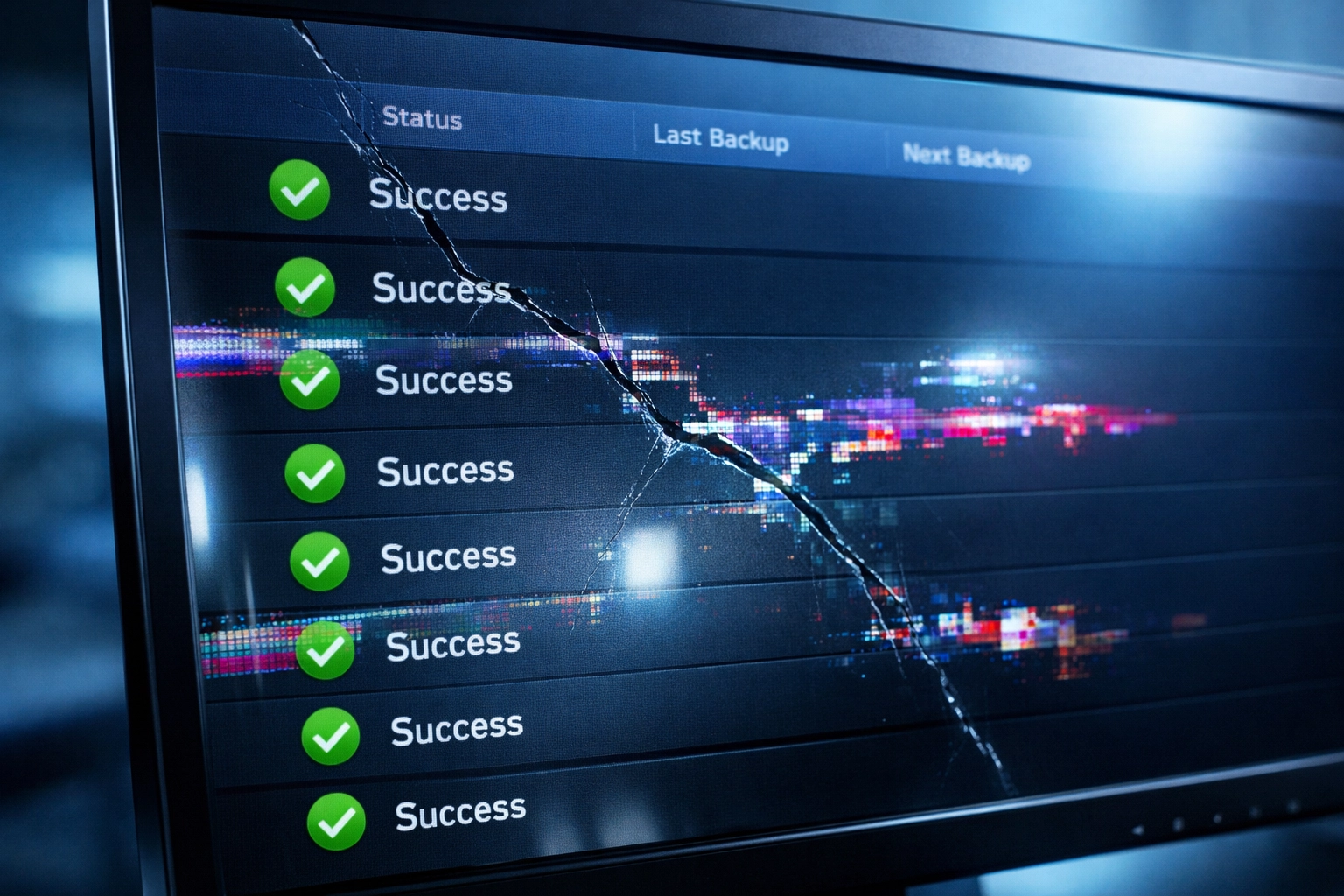
Your backup software sends you a daily report showing green checkmarks and "Success" statuses.
You feel good. Everything looks fine.
But those reports only confirm that backup jobs ran. They don't verify that the backed-up data is actually usable or complete.
Automated verification goes deeper. It scans for corruption. Validates file integrity. Confirms that data can actually be read and restored.
Without dedicated verification: either through personnel or automated systems: you're flying blind. Your backup reports are giving you false confidence while your actual protection crumbles.
5. You Skip Testing After Infrastructure Changes
New server deployment. Software upgrade. Cloud migration. Hardware refresh.
Each change introduces risk that your backup system no longer works correctly. Configuration incompatibilities. Changed file paths. Updated authentication requirements.
But most organizations assume their existing backup strategy automatically adapts to these changes.
It doesn't.
Your backup system was configured for your old environment. Every significant change needs validation to ensure your recovery chain remains intact.

6. You Don't Test in an Isolated Environment
Here's a scenario that keeps IT professionals awake at night:
Ransomware infiltrates your network. Your production systems get encrypted. You attempt to restore from backups. But the ransomware has already spread to your backup environment. Your recovery data is now encrypted too.
Game over.
Testing in an isolated environment: a "clean room": protects you in two ways. First, it ensures backups work without risking your production systems. Second, it gives you a secure space to scan for malware before bringing recovered data back online.
Your backup environment and production environment should be separated. Always.
7. You Assume Everything Works Without Validation
Human error is inevitable. Misconfigured scripts. Incorrect schedules. Systems that were supposed to be backed up but somehow got skipped.
These problems remain invisible until you test.
A 2022 study found that 26% of backup and disaster recovery strategies fail entirely. Not fail occasionally. Fail completely.
You might have a backup system that looks perfect on paper while protecting absolutely nothing in practice.
Regular validation catches these failures before they become catastrophic. Testing exposes the gaps between what you think is protected and what actually is.
The Real Cost of Testing Failures
Let's talk about what happens when you skip backup testing and disaster strikes.
Downtime expenses multiply fast. For most companies, downtime costs exceed $300,000 per hour. That's not accounting for lost productivity, missed opportunities, or the scramble to manually recover what should have been automated.
Regulatory penalties hit hard in regulated industries. Healthcare, finance, and manufacturing face substantial fines for failing to meet retention and recovery obligations. Your backup failures become legal liabilities.
Extended recovery times compound every other problem. When backups fail, you're not just down for hours. You're down for days or weeks while IT teams manually piece together whatever data they can salvage.
Permanent data loss happens when corrupted or incomplete backups can't be recovered at all. Years of customer records, financial data, or intellectual property simply gone.
Reputational damage outlasts the technical recovery. Customers lose trust. Partners question your reliability. That damage persists long after your systems come back online.
Finding Your Backup Testing Gaps
Here's the problem: most businesses know they should test backups more thoroughly. They just don't know where to start or what to look for.
That's where a proper assessment makes the difference.
Our Tier 1 Assessment examines your existing backup infrastructure and identifies exactly which of these seven mistakes you're making. No assumptions. No guesswork. Just a clear analysis of where your backup testing falls short and what needs to be addressed.
You get a detailed report showing which systems aren't being tested properly, where your recovery objectives don't align with reality, and which gaps need immediate attention.
No sales pressure. Just transparency about what's working and what isn't.

What Happens Next
Backup testing isn't optional infrastructure maintenance. It's the difference between recovering from disaster and going out of business.
Your backup system might be failing right now. Quietly. Invisibly. Creating the illusion of protection while actually protecting nothing.
The only way to know is to test. Regularly. Thoroughly. In isolation from your production environment.
Start with quarterly testing. Test after every significant infrastructure change. Validate that your recovery times match your business requirements. Verify that restores actually work, not just that backups complete.
And if you're not sure where your gaps are, that's what assessments are for.
Your backups exist for one reason: to protect your business when everything goes wrong. Make sure they'll actually work when you need them most.
Ready to find out if your backups will actually protect you during recovery? Our Tier 1 Assessment identifies the gaps before disaster does.